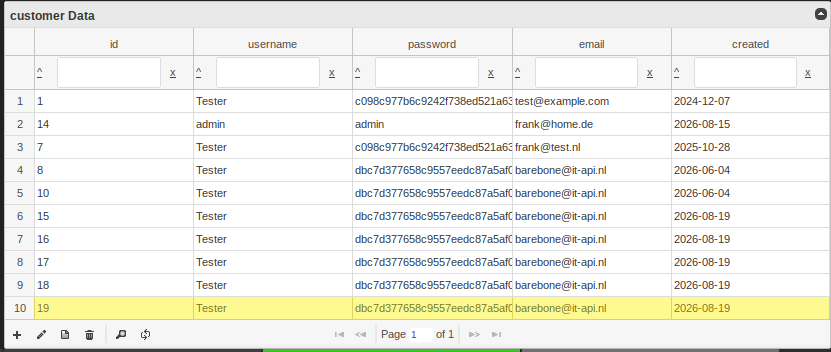
Barebone\Activerecord->toGrid()
You can easily create a jqgrid from an Activerecord object. First make sure you have all jqgrid javascript files loaded. For convenience there is a layout named: "jqgridphp"
Make sure that the layout is not rendered when the grid requests data. It will do that with a call to the same function.
Then create the Activerecord object. We have chosen a (new \customer()) here.
with $options['select'] you could select certain columns from the table, or write a custom query.
with $options['table'] all columns from the table get selected
Finaly convert the activerecord to a grid $grid = $customer->to_grid($options);
$grid holds a string with html. You need to assign this to the view.
The view first renders the jqgrid then makes another request to get the data in the grid.
Source
<?php

// make sure that you use a layout with jqgrid scripts in the head
$this->layout->set_layout('jqgridphp');

// create one active record object
$customer = new \customer();
// options array
$options = [];
// custom query, you could skip this for full table grid (SELECT * FROM CMS_Document)
$options['select'] = 'SELECT id,username,password FROM customer';
//$options['table'] = $customer->get_tablename();
// convert the activerecord to a grid
$grid = $customer->toGrid($options);
// assign the grid to the view
$this->view->grid = $grid;