Barebone\Controller
Controllers are the heart of your application, as they determine how HTTP requests, to them, should be handled.
- What is a Controller?
- Hello World
- Actions
- Passing URI Segments to Your Controllers and Actions
- Passing variables to your view
- Defining a Default Controller
- Remapping Function Calls
- Controlling Output Data
- Your own controllers
Unveiling the Magic of Controllers in Barebone
Here's a breakdown of controllers in Barebone:
The Engine of Action:
- What they are: Controllers are the core of your Barebone application, acting like the directors responsible for handling incoming requests and deciding how to respond.
- Their role: They determine how to respond to different web requests (e.g., displaying a specific page, processing form data) and determine which view to present to the user.
Decoding the Controller Concept:
- Simply a Class: In essence, a controller is just a class file with a specific naming convention.
- Naming Connection: The name of the controller class should correspond to the desired URI (Uniform Resource Identifier), the web address users type in their browser.
URI Decoding: Barebone's Mapping Process
Here's a detailed explanation of how Barebone maps URIs to controllers and actions:
Simple URI:
- Example:
example.com/blog/ -
Path Analysis: Barebone breaks down the URI into parts:
- Application Name: "blog"
- Default Controller: "index" (assumed if not specified)
- Default Action: "index" (assumed if not specified)
-
File and Function Mapping:
- Barebone locates
indexController.phpin the "controllers" folder within the "blog" application. - It calls the
indexAction()function inside this controller. - It then renders the layout, which renders the corresponding view. All without you having to create a route in your router and connect everything up.
- Barebone locates
More Complex URI:
- Example:
example.com/blog/show/post/1/ -
Path Analysis: Barebone dissects the URI:
- Application Name: "blog"
- Controller Name: "show"
- Action Name: "post"
- Additional Argument: "1"
-
Mapping Defined:
- Barebone locates
showController.phpin the blog applications "controllers" folder. - It calls the
postAction()function within this controller. - The value "1" is passed as an argument to this function.
- Barebone locates
Key Takeaways:
- Barebone strategically analyzes URIs to determine which controllers and actions to activate.
- Controllers are responsible for handling requests and deciding which views to display.
- Actions are specific functions within controllers that perform distinct tasks.
- Additional arguments in the URI can be passed to action functions, providing flexibility in handling user requests.
Handling Basic Requests:
- Default Behavior: When only the application name is present in the URI (e.g.,
example.com/app1/), Barebone loads the "indexController.php" file from the specific application's "controllers" folder and executes the "indexAction" function within it.
Beyond the Basics:
-
This explanation provides a basic understanding. Controllers can perform various complex tasks, including:
- Validating form data
- Fetching data from databases
- Working with sessions and user authentication
- And much more
Learning Through Practice:
- The explanation mentions creating a simple application to understand controllers better. This hands-on approach is a great way to solidify your learning.
Remember:
- Controllers are crucial components in the Barebone framework, directing how the application responds to user interactions and requests.
When only an application's name is given in the URI, the indexController.php of that application will be loaded.
Let's try it: Hello World!
Let's create a simple application so you can see it in action. There are a couple of ways to do this. Use the shortcut keys (ctrl-alt-p) Or use the button in the left toolbar. Or the long way round using the menu in Barebone Studio, select File > New > Application:
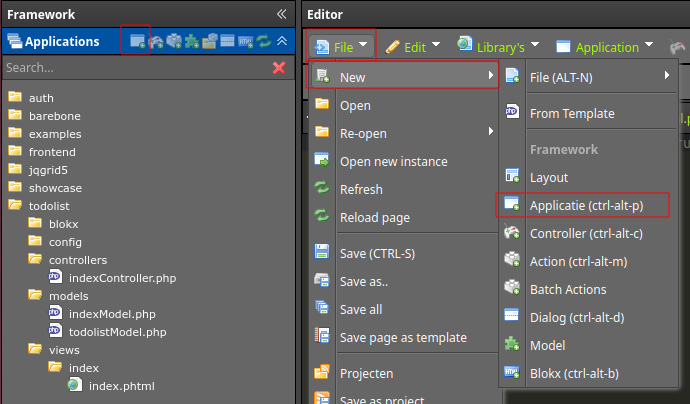
You should see the following dialog.
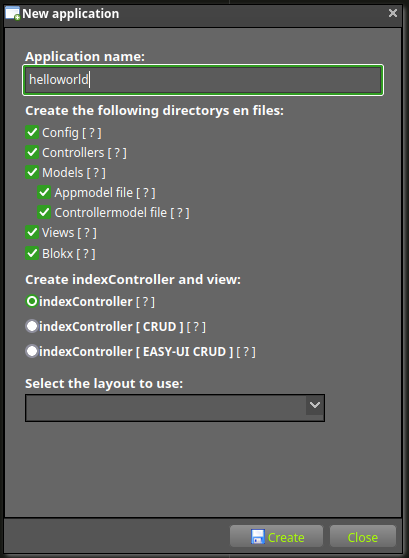
- Fill in the Application name "helloworld"
- Select a layout to use in the dropdown, otherwise the default layout will be used
- Click create button, to create the application and with that a URI /helloworld/
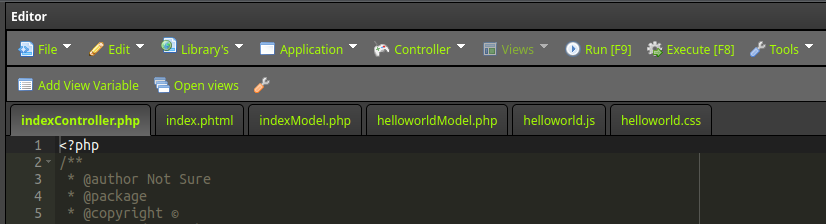
You should see 6 pages open up in the editor. The indexController, The controllers index View. And there is your 'controllerModel', 'applicationModel' and some public files for javascript and css styling
Change the text in index.phtml to Hello world and save the page (ctrl-s)
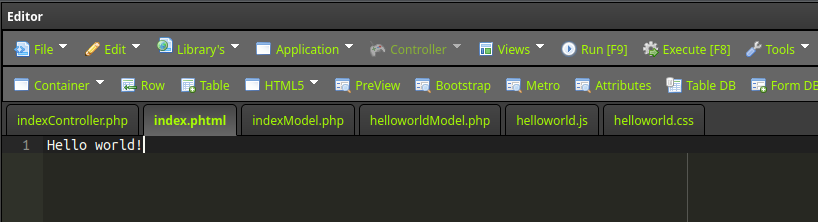
After you made the changes to the index.phtml you can press, ctrl-s or via menu File > Save to save the file.
Now press F9 to open the application. Or press the toolbar button Run
A new browser tab opens at the location http://example.com/helloworld/
If you did it right, you should see Hello World!
Not really exciting is it. But lets look at the source of the webspage. Then we see there is more to the Hello world example. A complete html page is generated around your hello world! text.
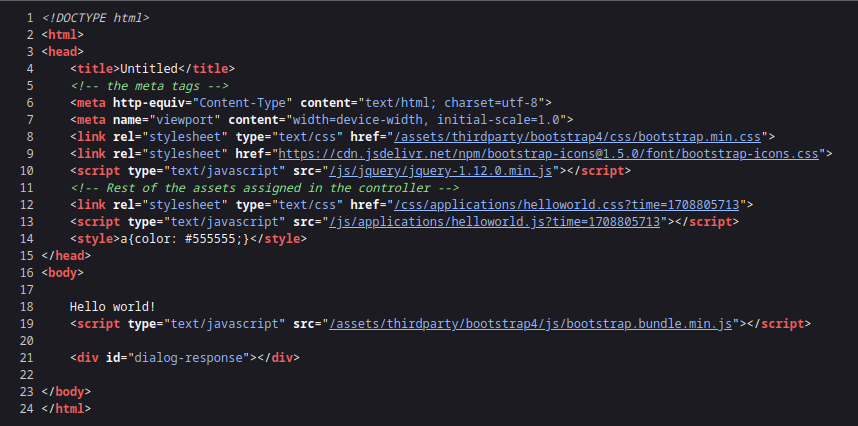
Actions
In the above example the class indexController is created and the function name indexAction() is called.
The indexController is always called if the second segment of the uri is empty.
The "index" function is always loaded by default if the third segment of the URI is empty. Another way to show your "Hello World" message would be this:
example.com/index.php/helloworld/index/index/
The third segment of the URI determines which function in the controller gets called.
Let's try it. Add a new action to your controller:
Click File > New > Action or use the shortcut CTRL-ALT-M
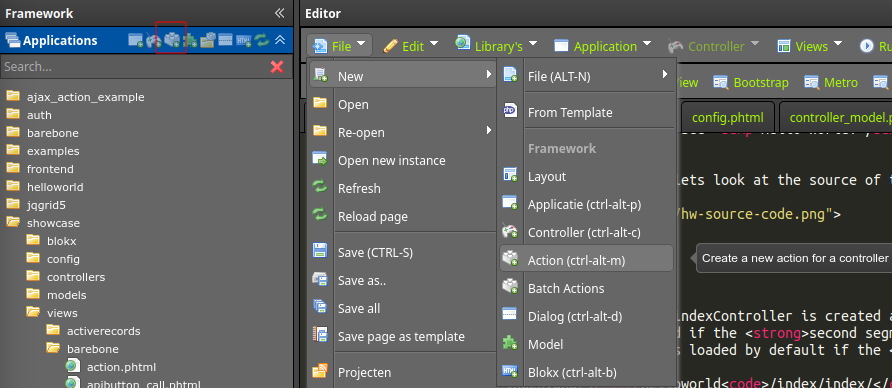
You see the following dialog
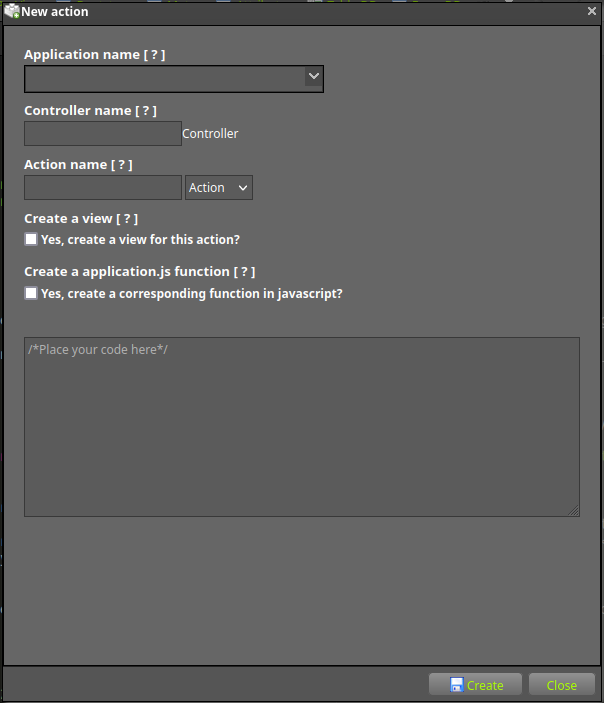
- Select in the Application name dropdown the name of the application you just created "helloworld"
- Now pick the indexController in the dropdown Controller name
- Fill in by action name: "hellouniverse"
- Click op save.
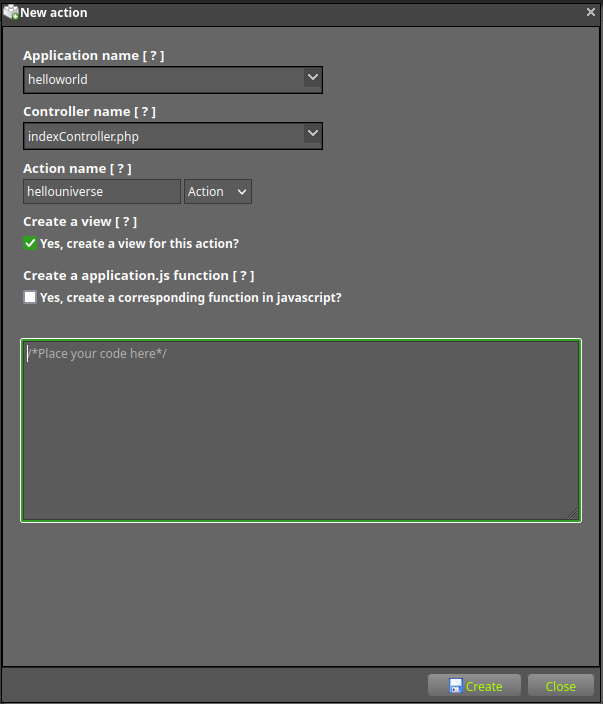
You should see an extra page open up in the editor.
Change the text in the editor to Hello universe! Save the page. ctrl-s or via menu File > Save
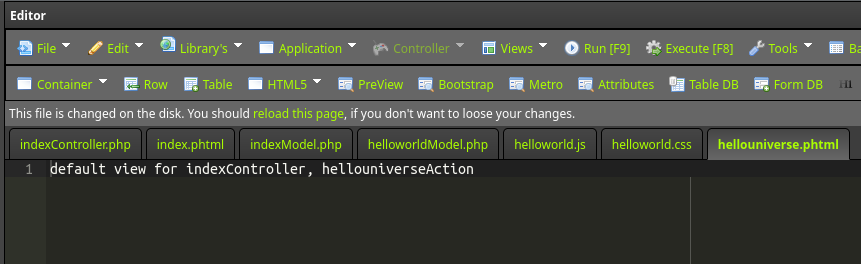
Now press F9 to open the application at this action.
If you press F9 when you look at a view (.phtml) then the editor knows which action is associated with that view and opens that action.
So now a new browser tab opens at the location http://example.com/helloworld/index/hellouniverse/
If you did it right, you should see the text "Hello universe!"
Ok, so far you have not written any line of actual php and you been editing only views so far. This is all done by the GUI of the framework.
Let's have a look at the controller. since the tab is allread open in the editor ;)
<?php

use Barebone\Controller;

class indexController extends Controller{

    /**
    * This function gets called before all other functions in this controller.
    * So if you want to add stuff to the controller this is the place to do it.
    */
    function init(){
        $this->layout->set_layout('default');
    }
    /**
    * This function gets called after all other functions in this controller.
    * So if you want to clean up some stuff, this is the place to do it.
    */
    function terminate(){}
    /**
    * @param $args array of segments
    */
    function indexAction( array $args = [] ){}
    /**
    * The starting point for this action
    * @URI /helloworld/index/hellouniverse/
    * @param $args array of segments
    */
    function hellouniverseAction(array $args = []){}

}
You see it is just a class like any other... or is it?
Barebone comes with a easy GUI to create your applications, controllers, actions and layouts or anything really.
But sometime you want to write a class yourself from scratch. Then keep these things in mind:
- You must add the "use Barebone\Controller;" statement on top of your controller.
- Your class must extend from a Barebone\Controller
- Your class must have the "indexAction()" function
If you look closely to the class you will see a function called "init()" This is a special optional function that gets called before your actual function from the URI gets called. So you can do some initialization here. Like we do assign the layout for this controller here. So now the whole controller is using this layout. You could overide this per function naturally.
The next function is "terminate()". This optional function gets called after your actual function from the URI is called. So you could clean up some memory or whatever.
So both function init() and terminate() are not really necessary for the controller. They are merely a hook in the progam flow.
The indexAction() is a function any controller should have as a fallback. Unless you specified another default_action in your "barebone/config/application.json" file ofcourse.
But if you change this setting then you should have that function present in any of your controllers
default_action = "fubar"
Passing URI Segments to your Functions
If your URI contains more then three segments they will be passed to your function as parameters.
For example, lets say you have a URI like this:
example.com/webstore/products/shoes/sandals/123
Your function will be passed URI segments 4 and 5 ("sandals" and "123") as an array
This productsController.php file will be placed in the application folder webstore.
Read here more about URL's and how they are used in barebone
<?php
use Barebone\Controller;
class productsController extends Controller {

    function shoesAction( array $args = [] ){
        $sandal = $args[0];
        $id = $args[1];
        echo $id; // 123
        echo $sandal; // sandals
    }
}
Passing variables to your view
One of the most awesome features of the controller. Passing on data from some model to a view.
Here is an example (the controller):
location: /barebone/applications/helloworld/controllers/indexController.php
Within the controller action you have a a handle to the view that belongs to the action
You can disable this by changing the setting: "outline_enabled" to "false" in your config file "application.json" or in the GUI
<?php
function indexAction( array $args = [] ){
    $this->view->username = 'Frank';
    $this->view->users = $this->db->doquery("SOME QUERY")->getRows();
}
Here is an example ( the view )
location: /barebone/applications/helloworld/views/index/index.phtml
// in the view you can access the variable
<?=$username;?> // (Frank)
<?php debug($users);?> // result of whatever query gives
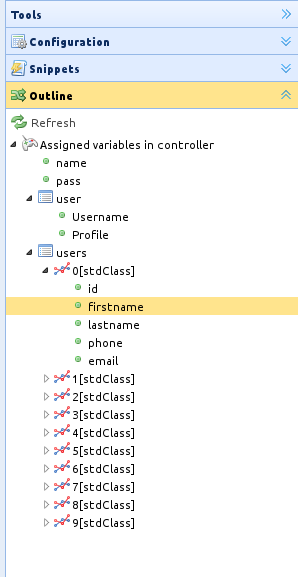
Or even better with the installer, you will have the variables that you assign in the controller available in the outline of the editor.
BEWARE OF THIS! All the code in your controller method will be executed when you use the Barebone GUI Outline for views. This is not the case with the outline for controllers, since we get the outline by reflection on the class.
This means if you run a piece of code that will retrieve 100.000 rows from a database table. You will see 100.000 items in your outline.
Defining a Default Controller
Barebone can be told to load a default controller when a URI is not present, as will be the case when only your site root URL is requested. To specify a default controller, open your "config/application.ini" file and set this variable:
default_application = "blog"Where blog is the name of the application you want used. If you now load your main index.php file without specifying any URI segments you'll see your Hello World message by default.
Processing Output
Barebone has an dispatcher class that takes care of sending your final rendered data to the web browser automatically. More information on this can be found in the Views and Layouts pages. In some cases, however, you might want to post-process the finalized data in some way and send it to the browser yourself. Barebone has a special setting for that.
Here is an example:
function indexAction( array $args = [] ){
    $this->autoRender(false);
    // now nothing happens
}
Please note that your function will have access to the application's state so far, but nothing is renderd.
You could now render just the view. This will not wrap your view into the layout.
function indexAction( array $args = [] ){
    $this->autoRender(false);
    // now nothing happens
    $this->view->render(); // this would render the content of the view corresponding to this action
}
Or you can manually render the layout. This would be completely pointless code. Meaning, without the extra code it will give the same result.
function indexAction( array $args = [] ){
    $this->autoRender(false);
    // now nothing happens
    $this->layout->render(); // this would render the view within the layout
}
That's it!
That, in a nutshell, is all there is to know about controllers.
Own controllers
You can decide to not extend your controller from the Barebone\Controller
URL Routing will still work for these classes. No need to make custom routes.
Let's say you have an application examples with a controller myController.
You can still access these by accessing the url: /examples/my/
<?php

class myController{

    public function indexAction(){
        echo 'Hello from indexAction in myController';
        // no view here
        // no layout here
    }
}