Barebone\Models
Understanding the Model: The Heart of Your MVC Application
In the world of software design, the Model-View-Controller (MVC) pattern reigns supreme, providing a way to organize code and create applications that are both effective and easy to maintain. At the core of this pattern lies the Model.
What is the Model?
-
The Data Backbone: The Model encapsulates the heart and soul of your application – the data. It represents the real-world objects, data structures, and their associated attributes. Think of it as the blueprints of your application that the other components build around.
-
The Brain (Business Logic): Not only does the model store data, but it also handles the business logic, defining the rules and operations that dictate how data can be manipulated, changed, and transformed.
Responsibilities of the Model
- Represents Data: It defines the structure and format of data involved in your application (e.g., user profiles, product listings, financial transactions).
- Data Validation: Enforces rules to ensure the integrity and accuracy of your data.
- Fetches and Updates Data: Communicates with databases or external sources to retrieve and store data as needed.
- Business Logic: Implements the core operations and calculations associated with the data (e.g., calculating shopping cart totals, determining eligibility for discounts, and more).
Example:
Let's consider a simple blog application. Here's how the Model might function:
- Data Structures: You might have a "Post" model to represent a blog post (with attributes like title, content, author, date, tags, etc.)
- Business Logic: The Model would handle tasks like fetching all posts by a specific author, updating the timestamp when a post is edited, and calculating the number of views for a post.
Key Concepts
- Separation of Concerns: In MVC, the Model is responsible solely for data and its associated logic, keeping it neatly separated from how the data is displayed (View) and user interactions (Controller).
- Encapsulation: The Model safeguards your data and its logic, promoting stability and making it easier to extend your application with new features.
The Model is the backbone of your application, defining its data structure and shaping the interactions that make it tick. Understanding this crucial component is essential to mastering the MVC pattern and building well-organized applications.
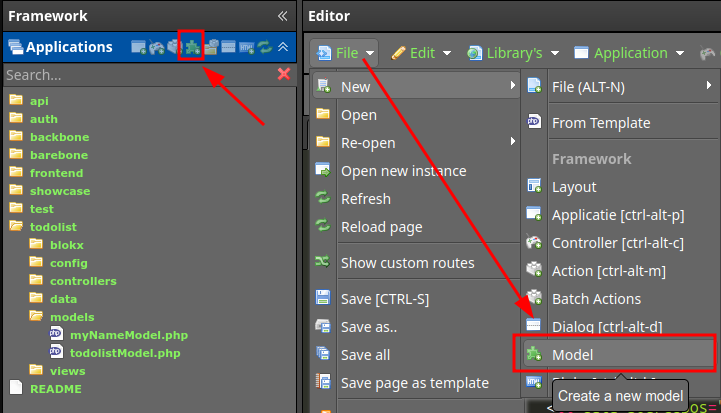
Create a new model by pressing alt-ctrl-m or via the interface
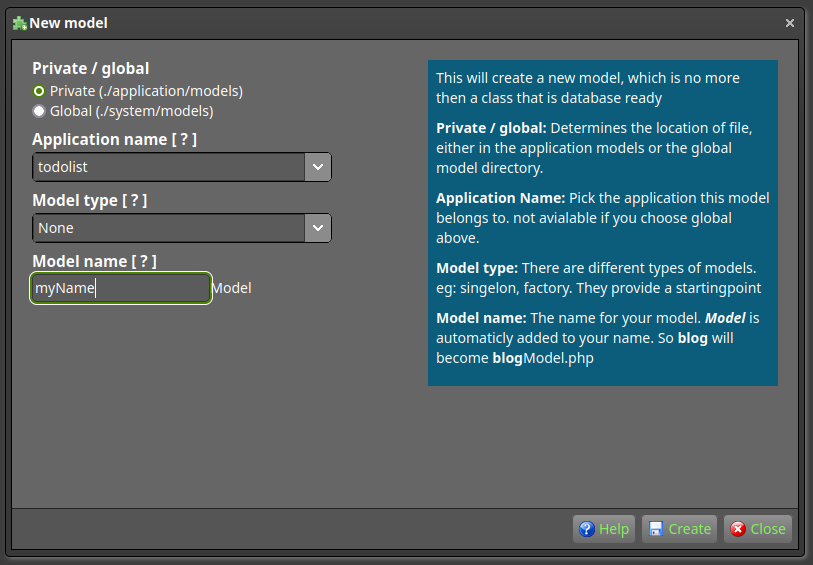
This opens up a dialog. Important to note that you can choose private and public models.
- Private models are only accessible by the application.
- Global models are accessible by all applications.
A private model is saved in the models directory from the application
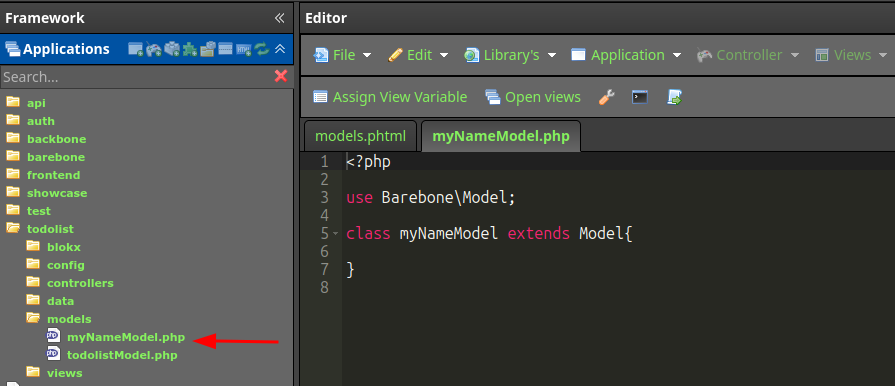
Your model is automatically extended from Barebone\Model. which gives you a database connection and view, layout and controller handles. if you don't need this functionality just remove the 'extends Model' part ;)
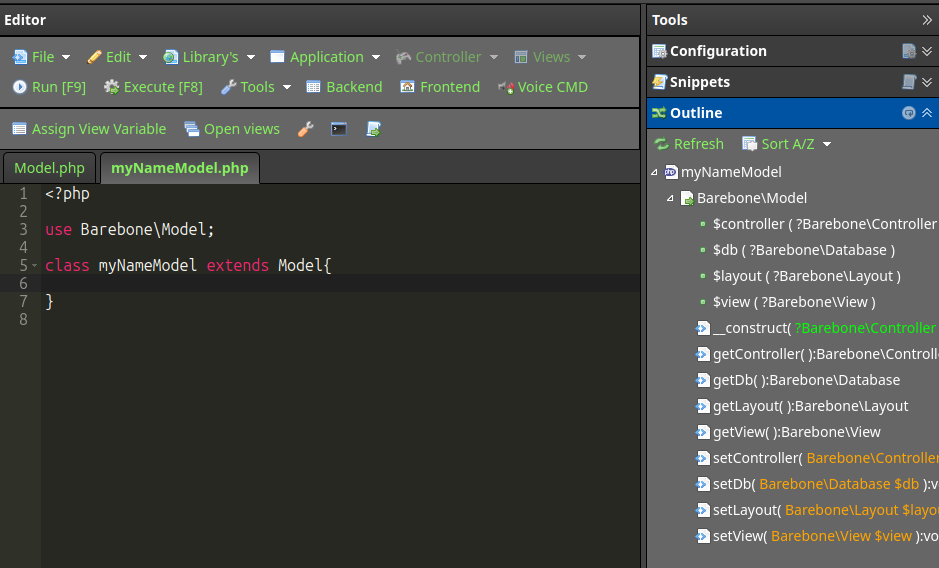
-
Barebone\Model
Barebone\Model-
[P] $db : Barebone\Database
-
[P] $view : Barebone\View
-
[P] $layout : Barebone\Layout
-
[P] $controller : Barebone\Controller
-
[M] __construct( Barebone\Controller $controller ) : void
-
[M] setController( Barebone\Controller $controller ) : void
-
[M] getController() : Barebone\Controller
-
[M] setDb( Barebone\Database $db ) : void
-
[M] getDb() : Barebone\Database
-
[M] setLayout( Barebone\Layout $layout ) : void
-
[M] getLayout() : Barebone\Layout
-
[M] setView( Barebone\View $view ) : void
-
[M] getView() : Barebone\View
-