Barebone Framework
Starting point
Barebone Framework Docs
Barebone Studio
Action
Access Control List (ACL)
Activerecord
Barebone URL's
Blokx
Browser Console
Build php classes with php classes
Condition
Config
Controller
Controller / Application Model
Console
Database
FastAPI
Filter $_POST
HTML
Inspector
JSON
JQGrid builder
Layouts
Log
Loggers
Map
Math
Model
Paginator
Pair
Process
Readers
Request
Response
ReRoute
Save as project
URL Helper
Views
ViewGroup
Writers
Zen coding
Barebone\Save to project
Organize Your Work with Projects Saving in Barebone
Save Your Work Effortlessly:
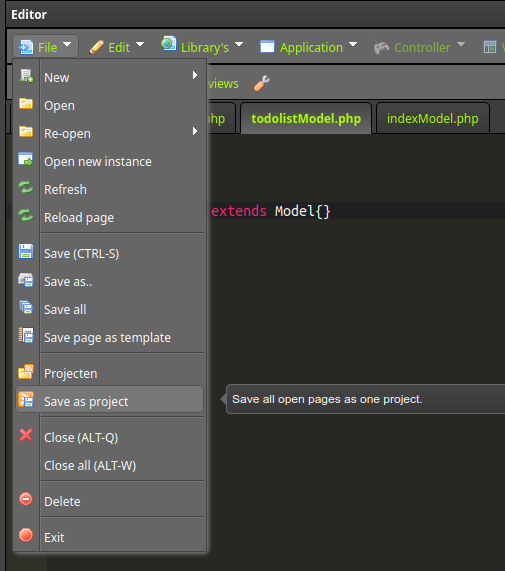
Barebone offers a convenient way to save your open pages into a project, making it easy to revisit your work later and keep your projects organized.
Saving Your Project:
- Open the menu and select "Save as project"
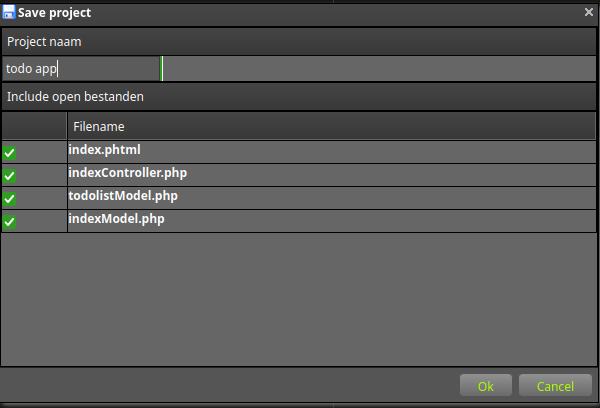
- Give it a name: Enter a descriptive name for your project to help you identify it later.
- Select files: Choose the specific pages you want to save within the project.
Reopening Your Project:
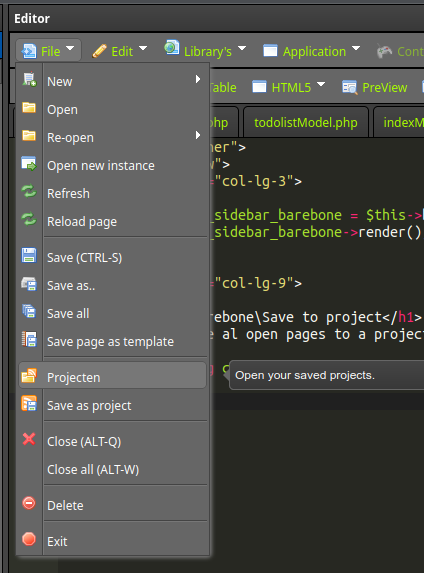
- Access projects: Click on "Projects" in the menu to access your saved projects.
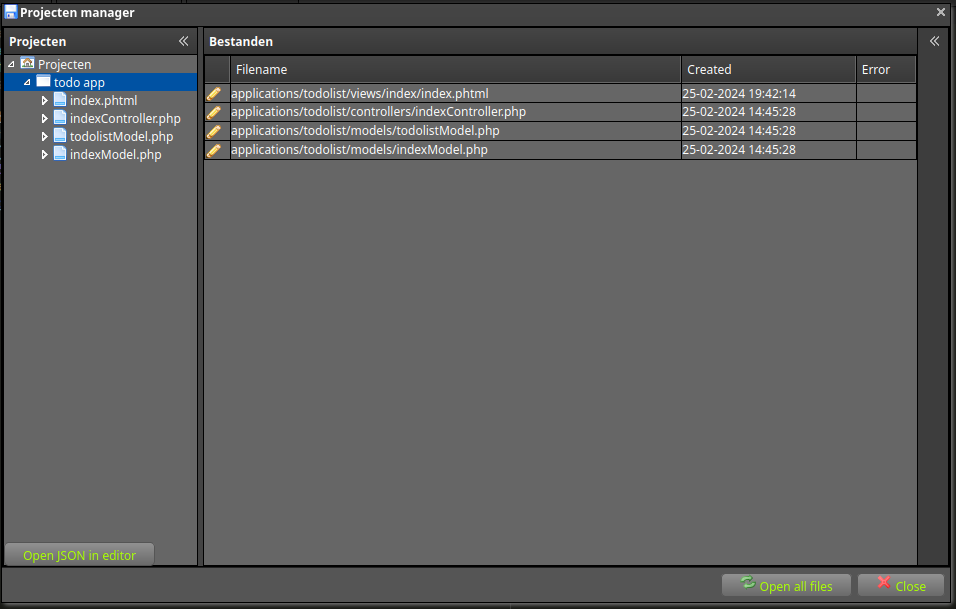
- Choose your project: If you have multiple projects, select the desired one from the left-hand panel.
- Open individual files (optional): Click the pencil icon next to specific pages to open them individually.
- Open all files: Click the "Open All Files" button within the dialog to open all pages associated with the project at once.
Behind the Scenes:
Barebone utilizes a JSON file to store your project information, including names, file paths, and other relevant data. This file format allows you to view and even edit the contents manually if needed.
Benefits of Project Saving:
- Organized workflow: Easily manage your projects and keep them separate.
- Quick access: Effortlessly revisit your work by opening saved projects.
- Flexibility: Select individual files or open all files in a project.
- Customizable naming: Choose descriptive names for your projects for easy identification.
- Full control: Open and edit the JSON file if desired for advanced customization.
Embrace the convenience of project saving in Barebone to streamline your work and keep your projects organized!